Swap Face & Background in a Dance Video
Hey, it's Donna! 💛 This one's inspired by a street-dance reel that's been going around — original concept and choreography by @mynycvision — a girl walking down the street and just breaking into full, free, no-one's-watching dance moves. I recreated the entire camera setup shot by shot (distances, angles, cuts and all), swapped myself in, and rewrote the setting into a Parisian street with the Eiffel Tower in view. Drop in your own face + outfit reference and rewrite the background in the prompt to wherever you want to be, and you're the one dancing through it.
Reference Video & Download
Feel So Free in Paris (1080p HD, 11s)
Donna dancing down a Parisian street toward the Eiffel Tower — download this and use it as your motion + camera reference for the swap.
What are we creating?
📌 Reference Photo
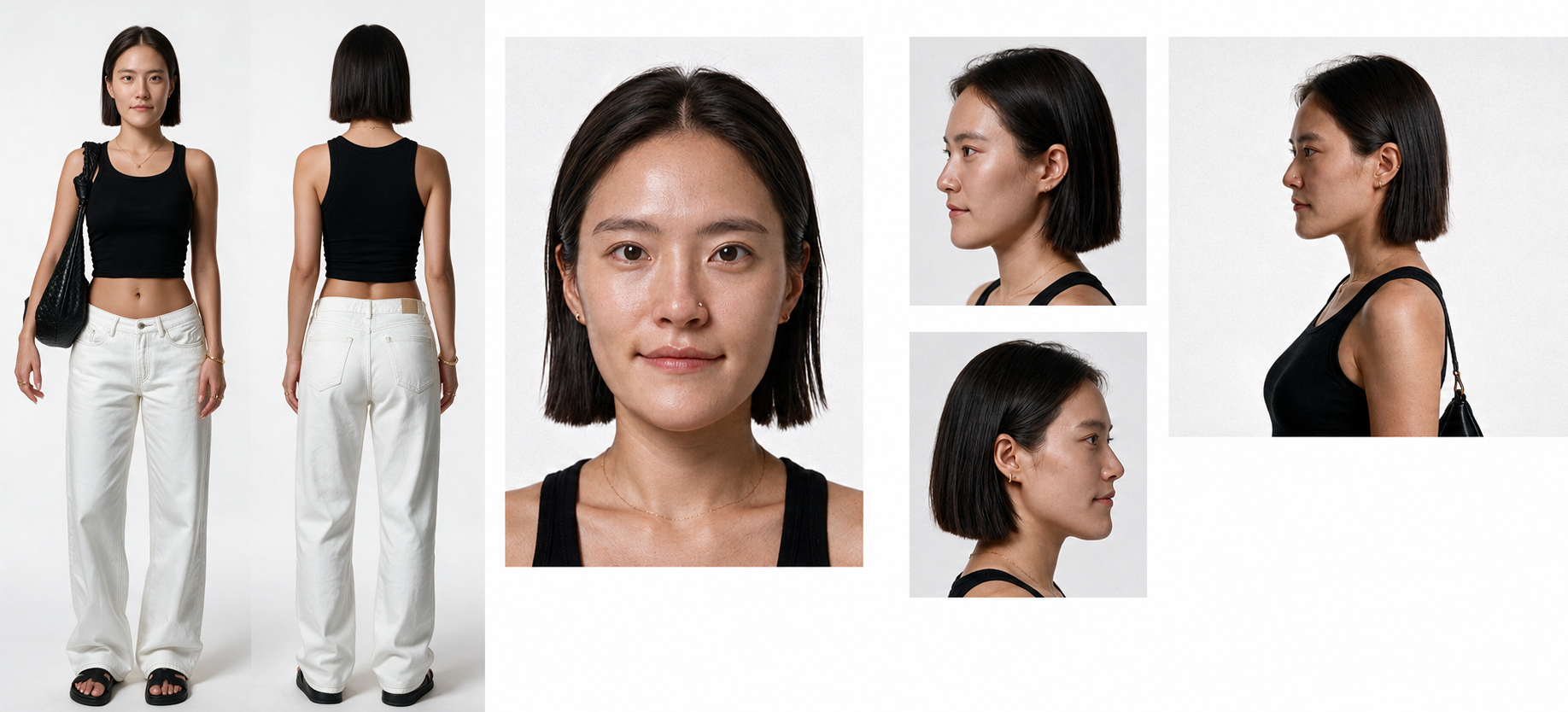
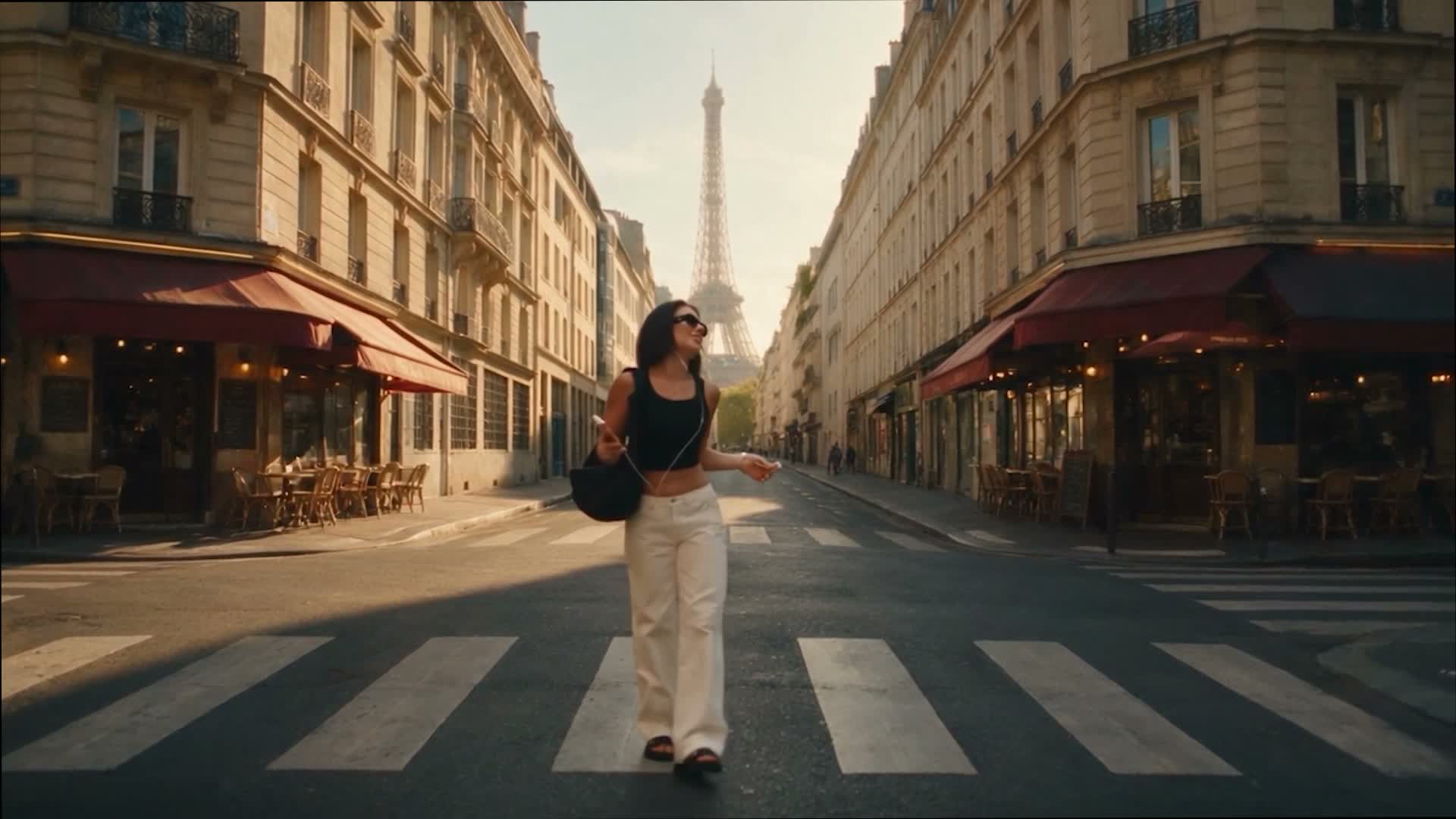
🪜 Simple 3-Step Flow
image_1 and image_2 map automatically — no manual edits needed either way.
🎬 The Full Prompt
REFERENCE MAP

Image 1 = FACE + OUTFIT REFERENCE (required)
Use Image 1 as the exact identity reference — face, hairstyle, skin tone, and outfit.

Image 2 = BACKGROUND REFERENCE (optional)
Only needed if you want a different location. Leave it out and the video's own background is left untouched.

FACE + OUTFIT SWAP TASK

1. CHARACTER REPLACEMENT: Replace the woman in the video with the character from @[Image 1](image_1). Match her face, hairstyle, skin tone, body proportions, and outfit exactly as shown in Image 1. Keep her exact body position, pose, scale, walking path, and screen placement identical to the original video in every frame.

2. BACKGROUND: If @[Image 2](image_2) is provided, replace the entire environment — street, buildings, landmark, sky, everything visible behind and around her — with the location shown in Image 2, matching perspective, depth, and vanishing point to the original camera moves. If Image 2 is NOT provided, keep the background 100% identical to the source video — same street, same buildings, same Eiffel Tower, unchanged in every frame.

3. MOTION AND TIMING: Preserve the original choreography frame by frame — the same walk-in, hip sways, arm pumps, spin, and hair flip, at the exact same timing and pace. Do not add, remove, or re-time any movement.

4. CAMERA AND FRAMING: Keep the original camera work unchanged — the same wide opening shot, smooth push-in to a medium shot, cut to the behind-the-shoulder spin, and cut back to the front. Do not re-frame, crop, zoom, or add new camera moves.

5. LIGHTING INTEGRATION: If Image 2 is used, match the lighting direction, intensity, and color temperature of the new background onto the character, with correct contact shadows, so she looks natively filmed there, not composited. If Image 2 is not used, keep the original lighting untouched.

6. PROPS: Keep the phone in her hand and the wired earphones as in the original video, moving naturally with her.

7. IDENTITY LOCK: No morphing, no identity drift, no blending between her face/outfit and the original dancer's, in any frame.

AVOID: extra people added, warped or flickering face, mismatched lighting between subject and background, style change, cartoon or filter look, watermark, text overlay, slow motion or speed ramp.

OUTPUT: same resolution, same aspect ratio, same frame rate, same length as the source video.
💡 Before You Try It
-
•Pricing & quota: New accounts get a short free run at Starwish — enough to test the swap before committing to a paid plan.
-
•Processing time: It still takes a few minutes to render — go do something else while you wait.
-
•Background photo choice: Pick a photo with a clear street, path, or vanishing point heading away from camera — it matches this video's straight walking line best.
-
•Photo quality: Use a front-facing, sharp, evenly lit photo for image_1. Clean backgrounds make identity isolation cleaner.
-
•Prompt importance: The prompt locks identity, background, and motion. Omitting constraints causes face drift and timing shifts.
Keep Creating With Me 🤍
If you use one of these prompts, tag @aiwithdonna so I can see what you create.
More guides coming soon!